


See who owes you: the Customer Dues report
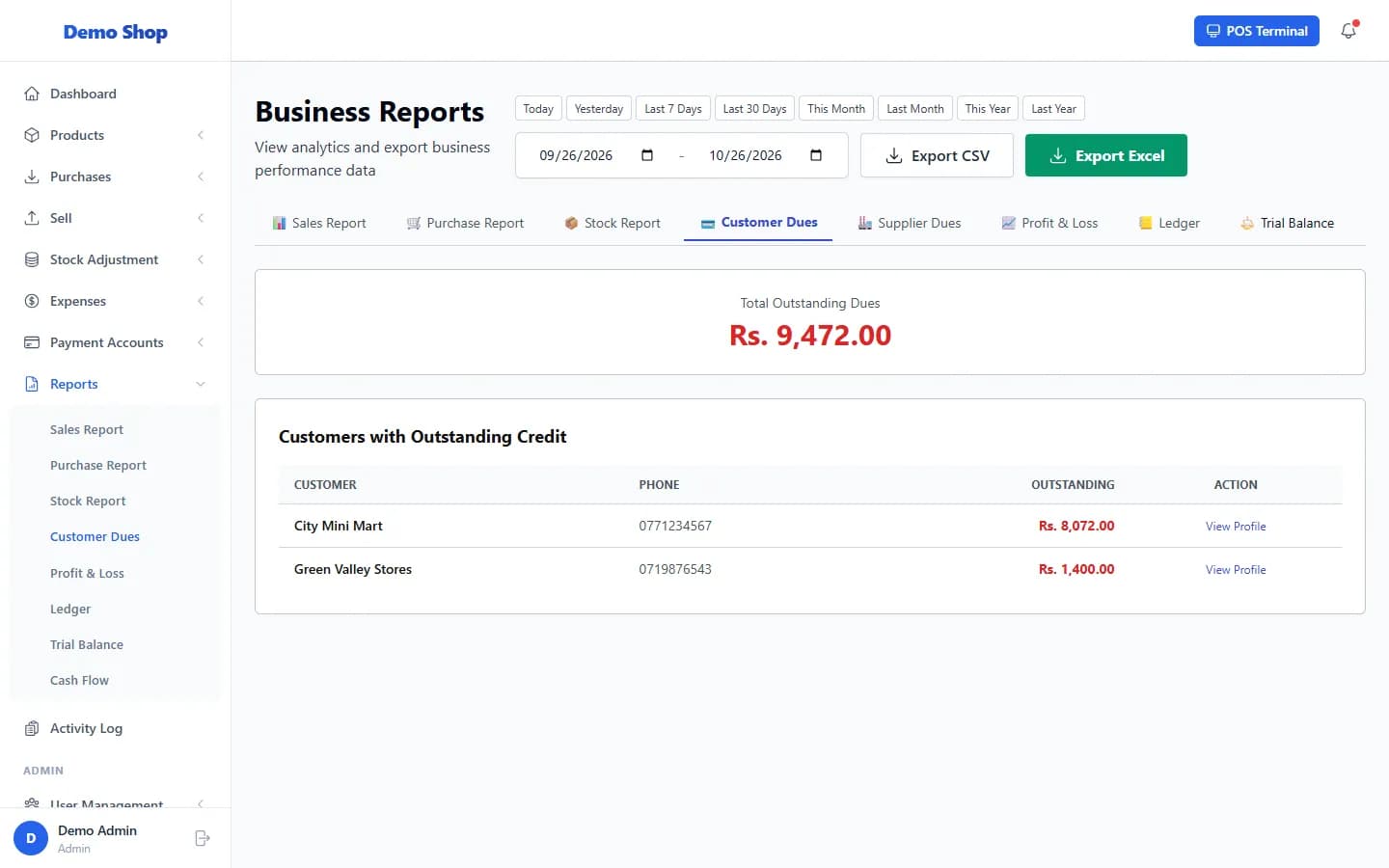
Open Reports → Customer Dues to see every customer with unpaid credit sales and the amount outstanding, largest first.
Steps
- Open Reports in the left menu and select Customer Dues.
- The page shows the Total Outstanding Dues and lists Customers with Outstanding Credit with their Phone and the Outstanding amount.
- To collect a payment, select View Profile in the customer’s row, then record the payment from the profile (see “Record a customer payment (settle what they owe)”).
Last checked against ANOWEX ERP on . Screens and wording can change as the product is updated.