


Find your way around the menu
Everything is in the menu on the left. Select a group to open it; only one group is open at a time. The POS Terminal button at the top right opens the till.
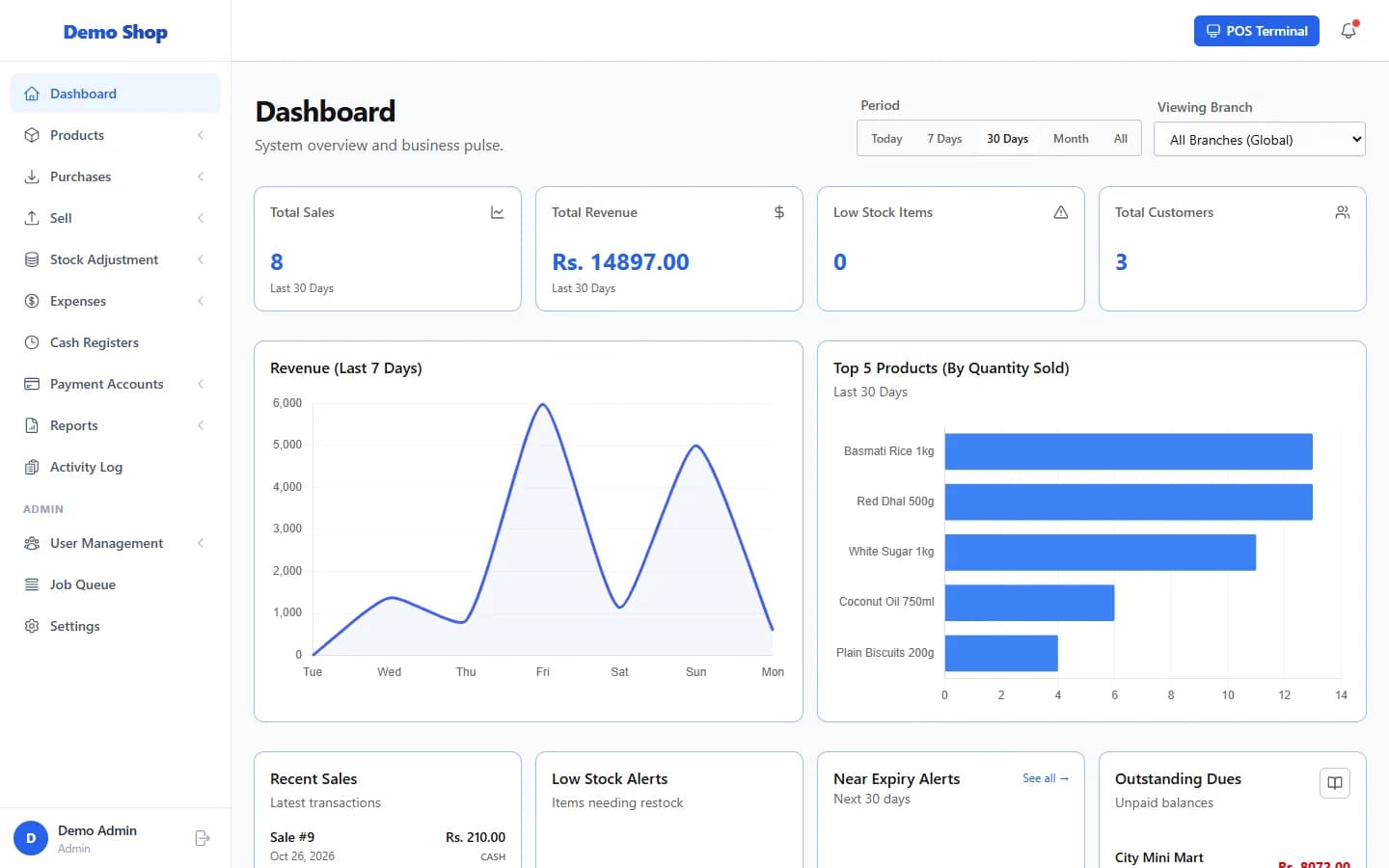
The menu
| Group | What is inside |
|---|---|
| Dashboard | Your sales summary and alerts. |
| Products | List Products, Add Product, Import Products, Print Barcodes, Label Designer, Product Attributes, Categories, Brands, Units, Price Groups, Bulk Discounts. |
| Purchases | List Purchases, Purchase Returns, Suppliers. |
| Sell | POS, Sales, Add Sale, Quotations, Sale Returns, Store Credits, Customers. |
| Stock Adjustment | List Stock Adjustments, Add Stock Adjustment, Stock Transfers, Inventory Logs. |
| Expenses | List Expenses. |
| Cash Registers | Cash drawer shifts (only if shift management is on). |
| Payment Accounts | List Accounts, Fund Transfers, Balance Sheet. |
| Reports | Sales Report, Purchase Report, Stock Report, Customer Dues, Profit & Loss, Ledger, Trial Balance, Cash Flow. More reports are tabs on the Reports page. |
| Activity Log | Who did what, and when. |
| Admin | User Management (Users, Roles), Job Queue, Settings. |
Other places to know
- POS Terminal (top right) opens the point of sale.
- Your name and role at the bottom of the menu open your Profile, where you can change your password.
- Lists have Export CSV, Export Excel, Print, Columns and Export PDF buttons at the top.
- The Reports page has tabs for every report you are allowed to see, including Supplier Dues, Staff Performance and Expiring Products.
Last checked against ANOWEX ERP on . Screens and wording can change as the product is updated.