


Record expenses
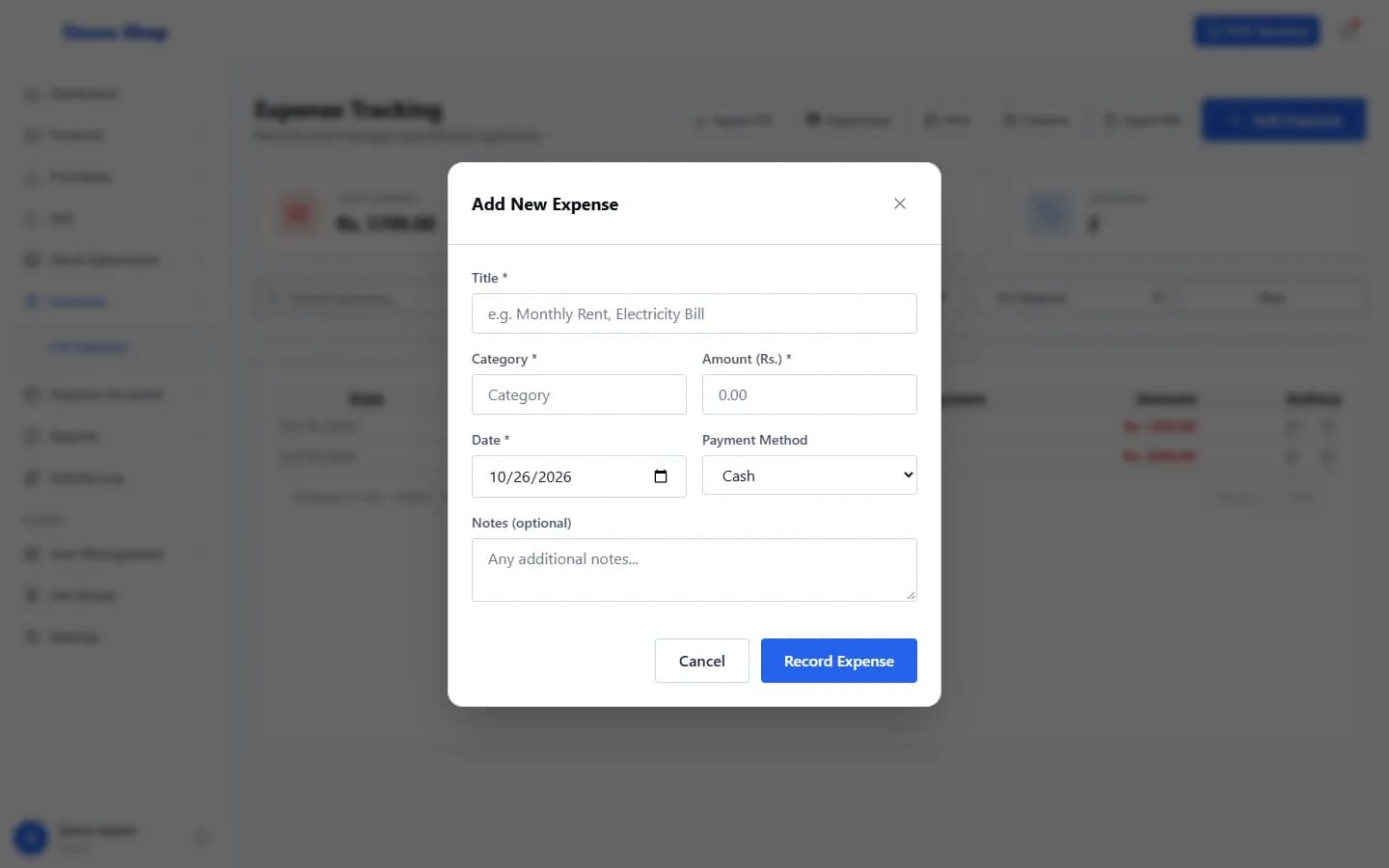
Open Expenses → List Expenses, select Add Expense, fill in the title, category, amount and date, and select Record Expense.
Steps
- Open Expenses in the left menu and select List Expenses (the page is titled Expense Tracking).
- Select Add Expense.
- Enter a Title (for example “Monthly Rent”), a Category, the Amount (Rs.) and the Date.
- Choose the Payment Method (Cash, Card or Bank Transfer) and add Notes if you wish.
- Select Record Expense.
What happens next
- The expense appears in the list. Filter it by category or date.
- It is counted as an expense in the profit reports.
Last checked against ANOWEX ERP on . Screens and wording can change as the product is updated.