


Add customers
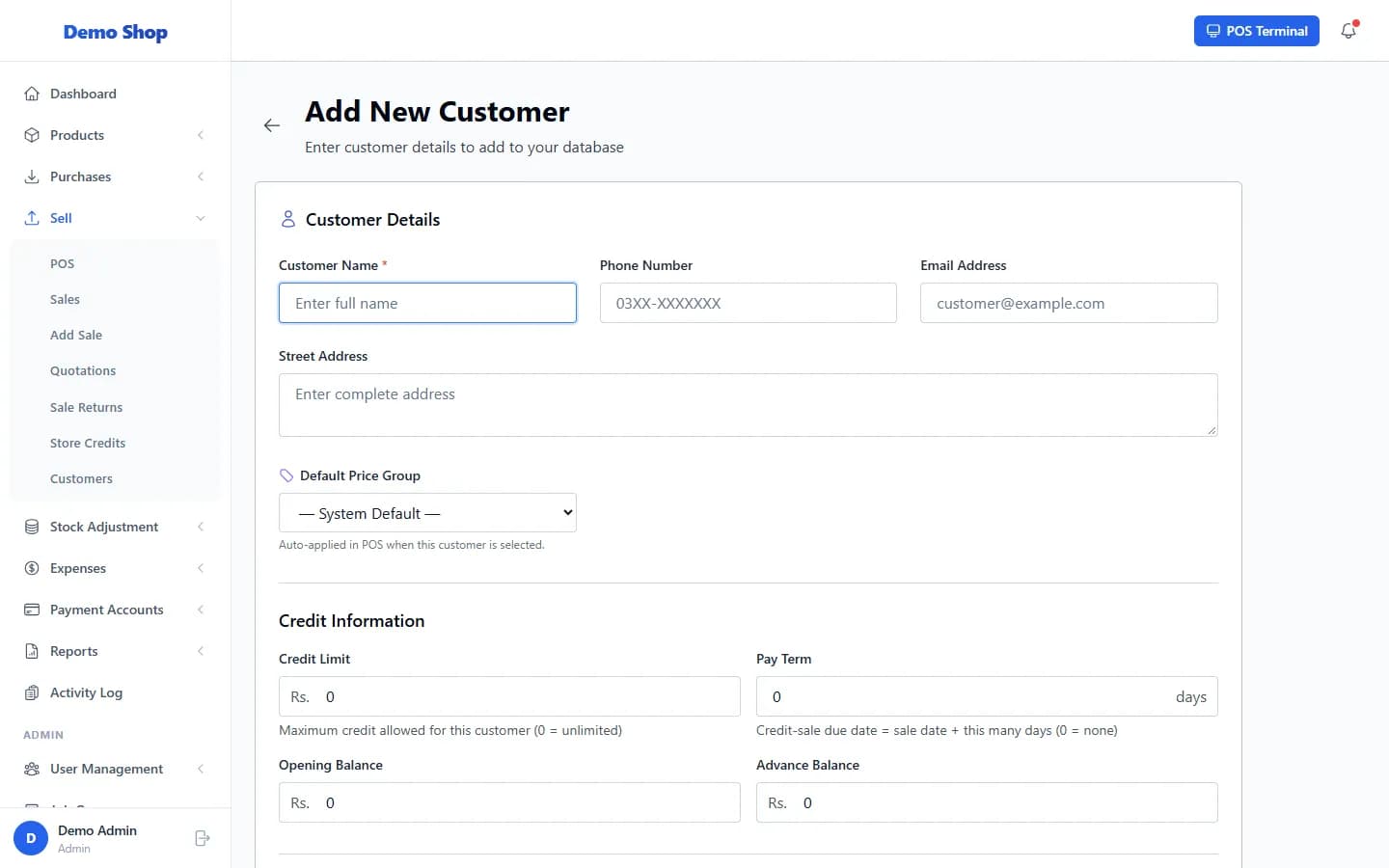
Open Sell → Customers, select Add Customer, enter the details and select Create Customer. You can also add a customer from inside the POS, or import a list.
Steps
- Open Sell in the left menu and select Customers.
- Select Add Customer.
- Under Customer Details, enter the Customer Name. Add Phone Number, Email Address and Street Address if you have them.
- Choose a Default Price Group if this customer should always get wholesale or another price list. Leave System Default otherwise.
- Under Credit Information, set the Credit Limit, Pay Term (days), Opening Balance and Advance Balance if they apply (see “Credit limits, pay terms and balances”).
- Select Create Customer.
What happens next
- The customer can be chosen at the POS and on manual sales.
- The list shows each customer’s Credit Balance, Advance Balance and Total Purchases.
- Row actions are View Profile, Edit and Delete.
Last checked against ANOWEX ERP on . Screens and wording can change as the product is updated.