


Switch modules and features on or off
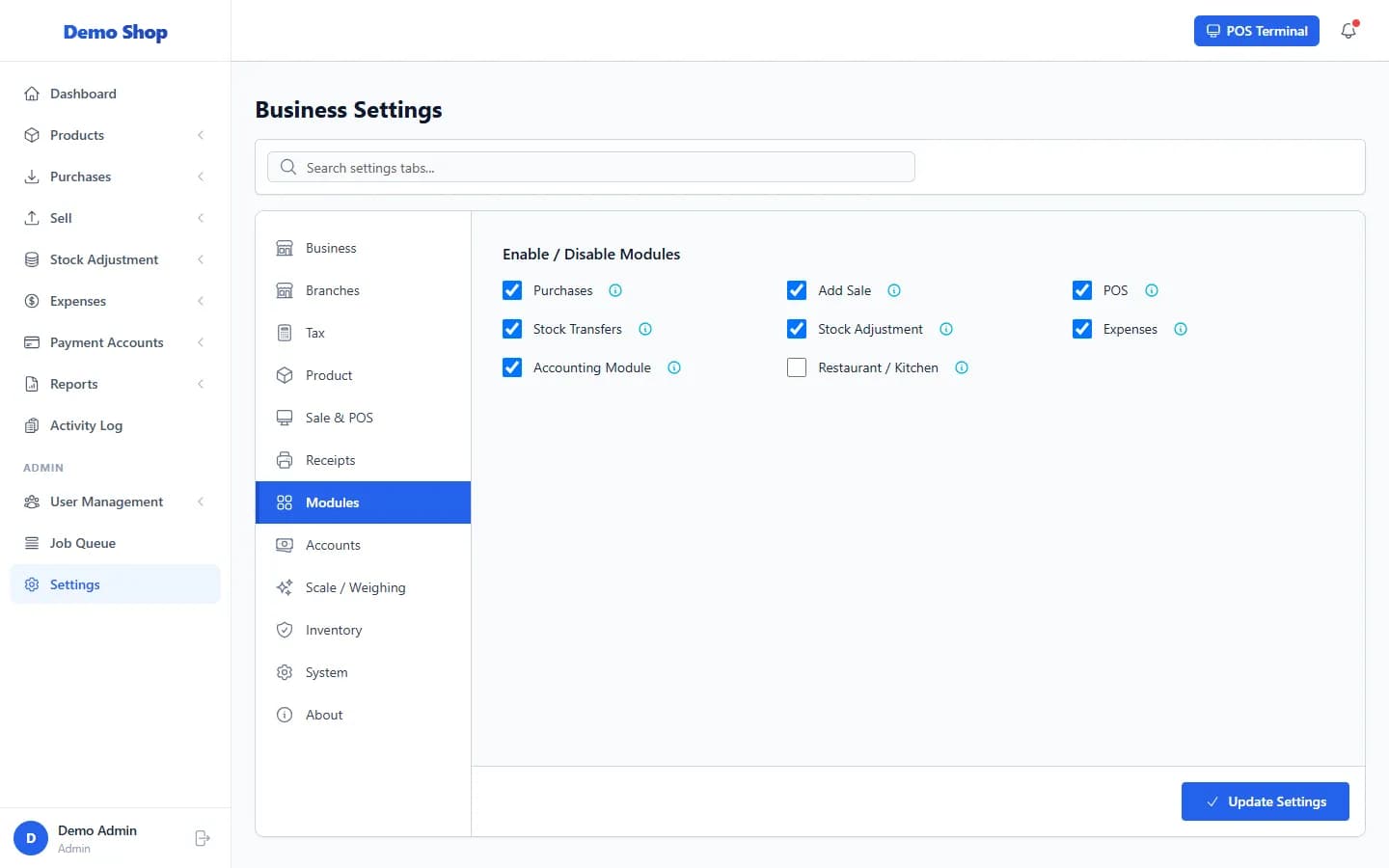
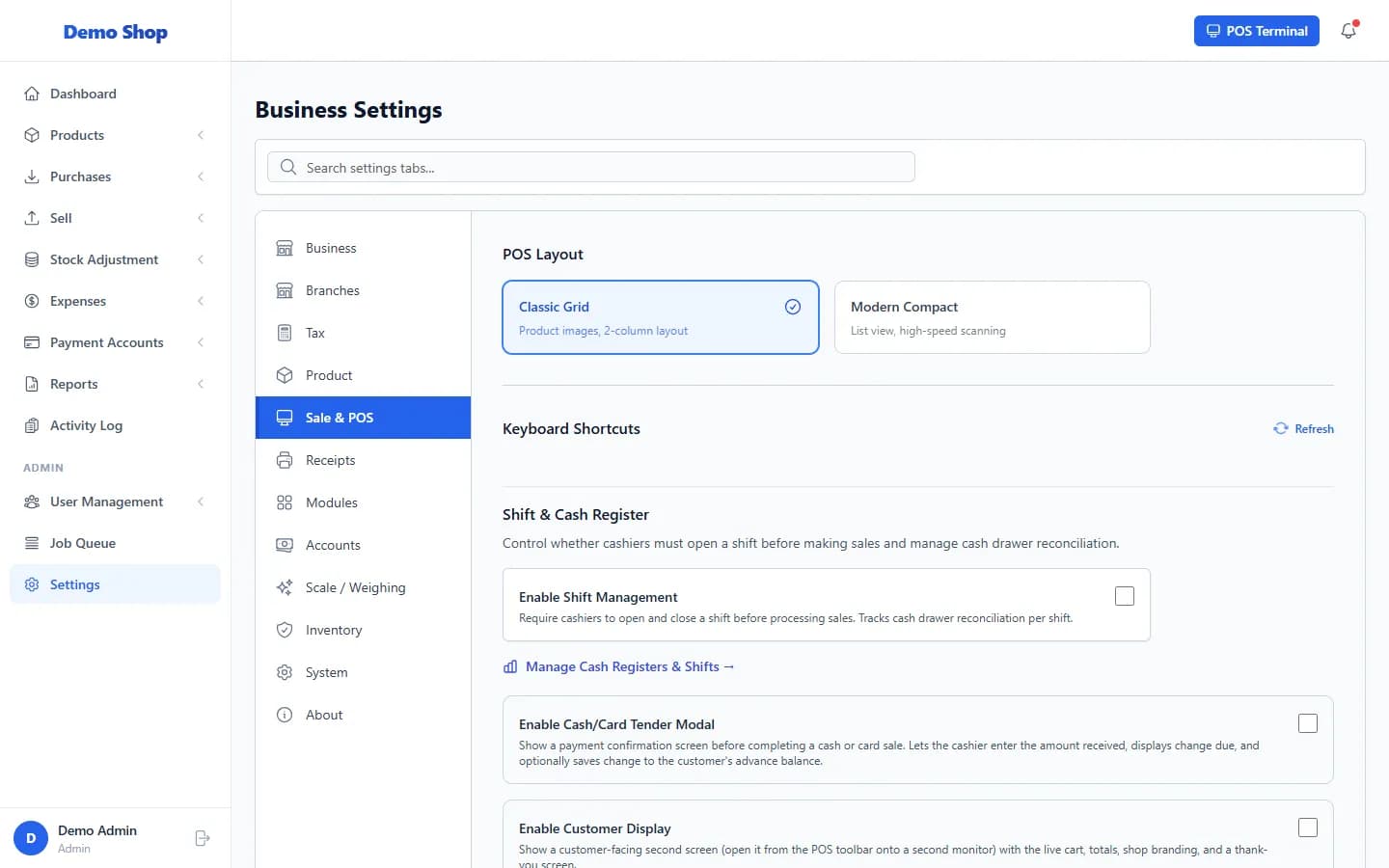
Use Settings → Modules to switch whole areas on or off. Other switches are on the Product and Sale & POS tabs. A switched-off area disappears from the menu and its pages are not available.
Settings → Modules
| Switch | What it controls |
|---|---|
| Purchases | Purchase orders and supplier management. |
| Add Sale | Manual sales records (the Add Sale form). |
| POS | The point of sale terminal. |
| Stock Transfers | Moving stock between branches. |
| Stock Adjustment | Manual stock corrections. |
| Expenses | Expense tracking. |
| Accounting Module | Cash accounts, fund transfers and the ledger. |
Other switches
| Tab | Switches |
|---|---|
| Product | Product Images, Product Brands, Product Categories, Product Variants, MRP (Maximum Retail Price), Restrict Price by MRP, Expiry Date Tracking, Not For Selling Status, Serial / IMEI Number Tracking. |
| Sale & POS | POS layout (Classic Grid or Modern Compact), keyboard shortcuts, Enable Shift Management, Enable Cash/Card Tender Modal, Enable Customer Display. |
- Open Settings and choose the tab.
- Switch the item on or off.
- Select Update Settings.
Last checked against ANOWEX ERP on . Screens and wording can change as the product is updated.