


Set up tax
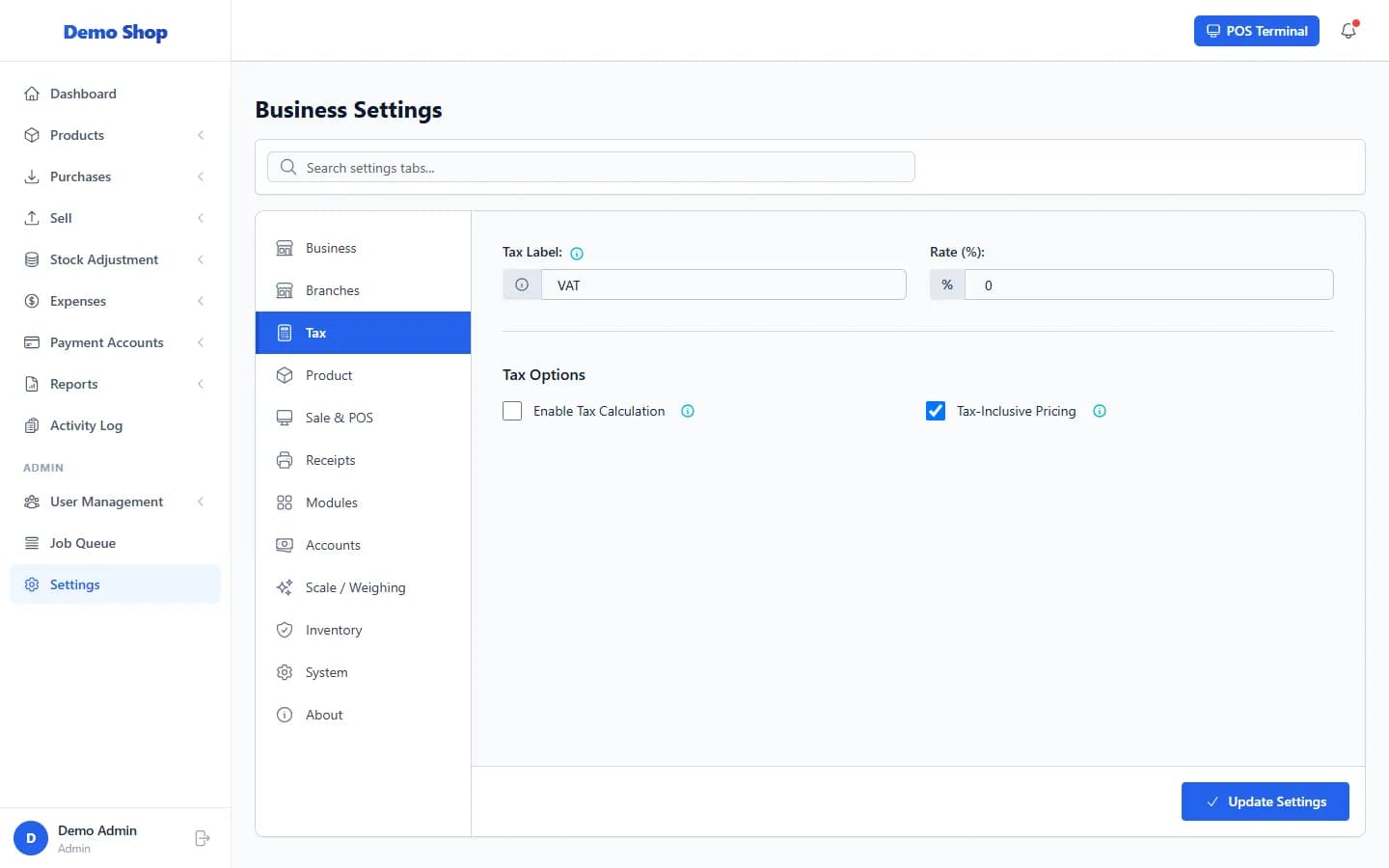
Open Settings → Tax, tick Enable Tax Calculation, enter the Tax Label and Rate (%), choose whether prices already include tax, and save.
Steps
- Open Settings → Tax.
- Tick Enable Tax Calculation.
- Enter the Tax Label (for example VAT) and the Rate (%).
- Decide about Tax-Inclusive Pricing. Tick it if your selling prices already include tax.
- Select Update Settings.
Example: a 150.00 sale at 10%
| Setting | Result |
|---|---|
| Tax-Inclusive Pricing off | Tax of 15.00 is added. The customer pays 165.00. |
| Tax-Inclusive Pricing on | Nothing is added. The customer pays 150.00, of which 13.64 is tax. |
Last checked against ANOWEX ERP on . Screens and wording can change as the product is updated.