


Discounts, extra charges and tax at the POS
Select an item in the cart to change its price or discount. Use Discount for the whole sale and Shipping(+) for extra charges. Tax is added automatically if it is switched on in Settings.
Steps
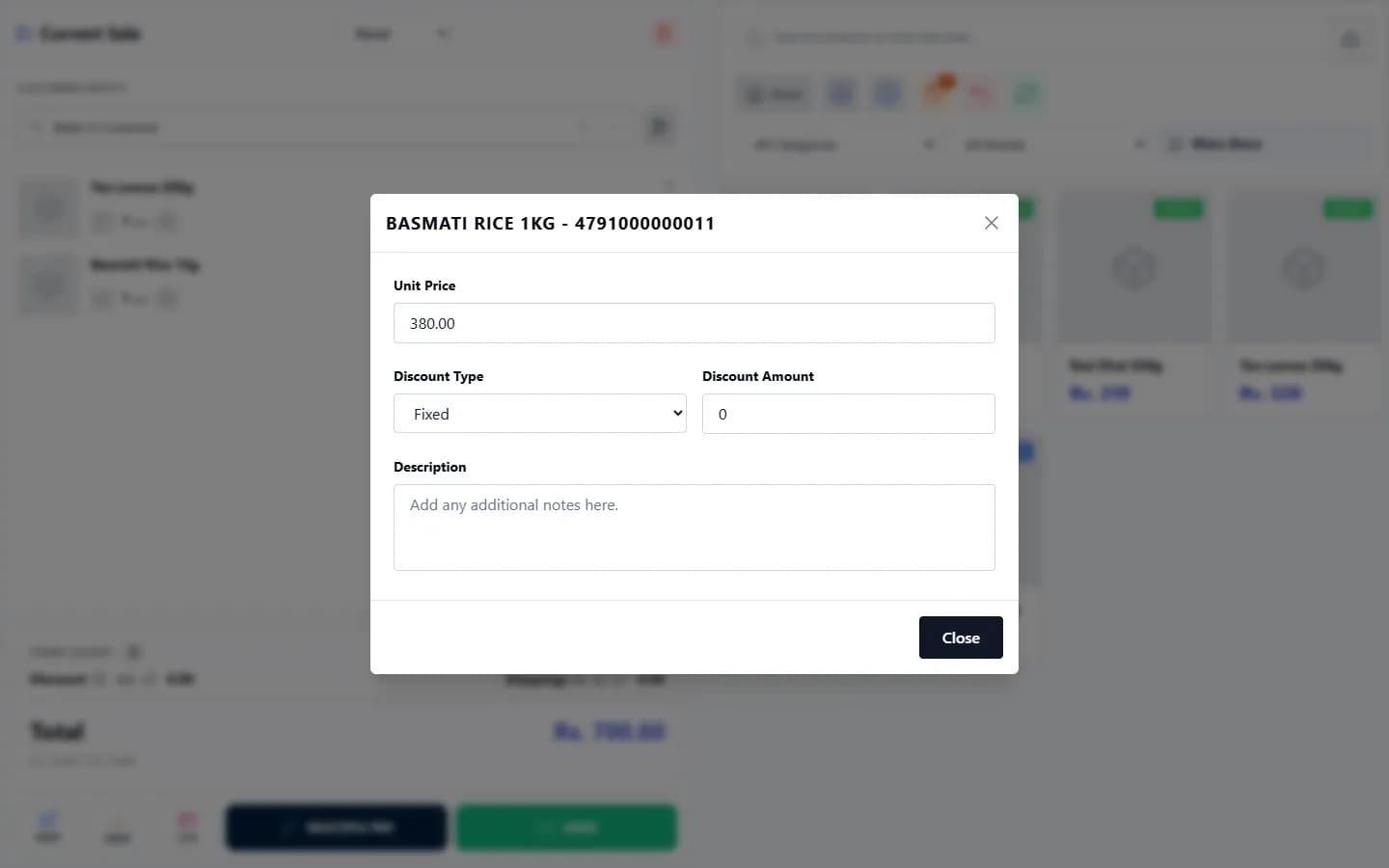
- To discount one item: select the item’s name in the cart. In the item window choose the Discount Type (Fixed or Percentage), enter the Discount Amount. Select Close when you are done; the change is applied.
- To change an item’s price for this sale only, change the Unit Price in the same window, then select Close.
- To discount the whole sale: select the edit icon beside Discount, choose the Discount Type, enter the Discount Amount (Order Discount) and confirm.
- To add a charge such as delivery or packaging: select the edit icon beside Shipping(+), enter the Charge Amount and an optional Reason / Note.
- The Total updates. Complete the sale as usual.
Last checked against ANOWEX ERP on . Screens and wording can change as the product is updated.