


Hold a sale and resume it
Press DRAFT to save the cart as a held sale. Open held sales with the hand icon (On-Hold / Draft Bills), choose one and continue to take payment.
Steps
- Add the items for the customer as usual.
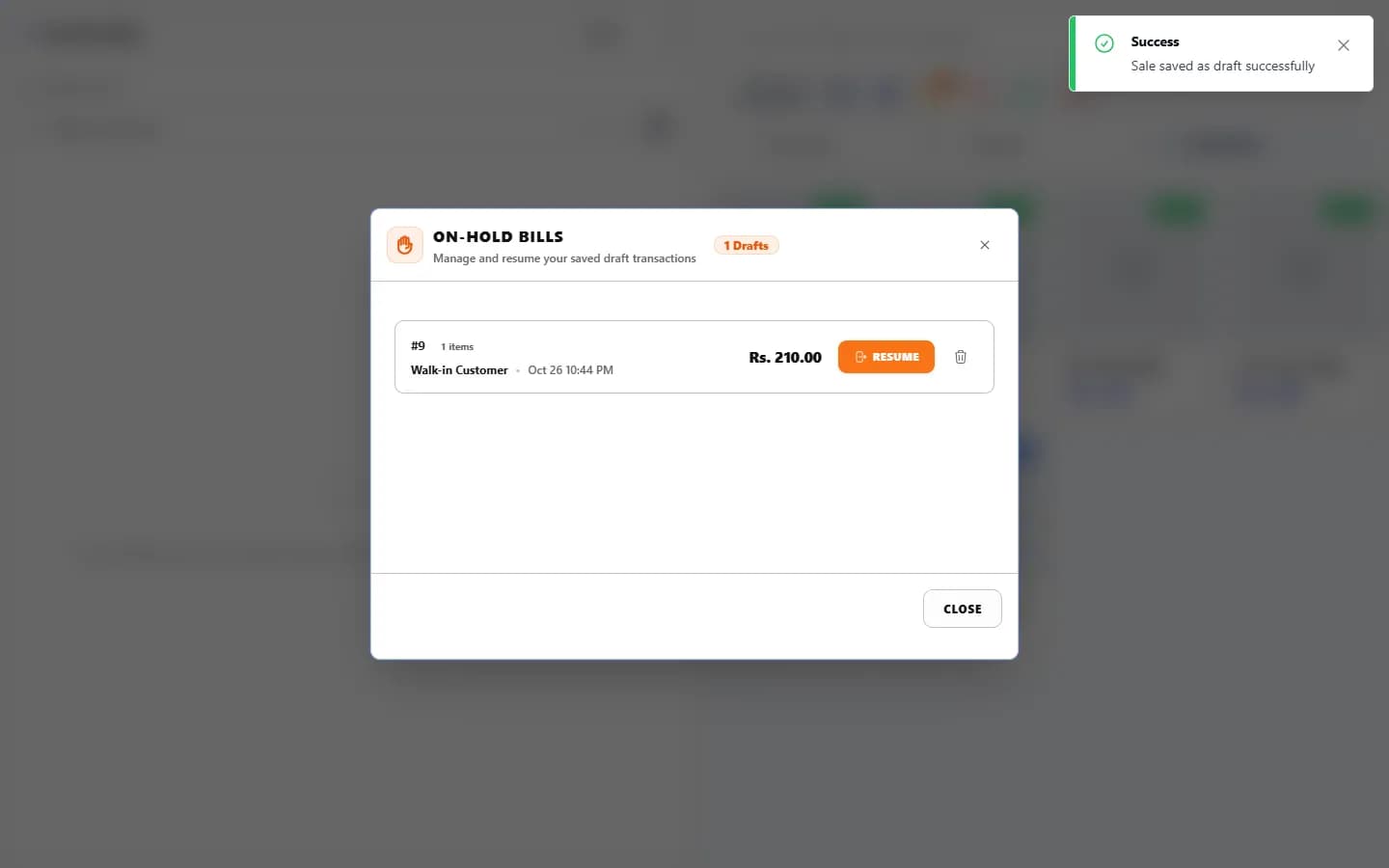
- Press DRAFT. The message “Sale saved as draft successfully” appears and the cart clears.
- Serve the next customer.
- To come back, select the hand icon (On-Hold / Draft Bills) near the top of the POS. The On-Hold Bills list shows each held bill with its items, customer, time and amount.
- Select RESUME beside the bill to load it into the cart. Change it if needed. (The bin icon deletes a held bill.)
- Take payment with CASH, CARD, CREDIT or MULTIPLE PAY.
What happens next
- Holding a sale does not reduce stock and records no payment.
- Stock goes down and payment is recorded only when the sale is completed.
Last checked against ANOWEX ERP on . Screens and wording can change as the product is updated.